
HTML vs image signatures: stop using PNGs
An image signature is a screenshot of your contact details. Here is what happens to it when images are blocked, when a screen reader hits it, and in dark mode — plus the two places an image still belongs.
A designer handed you a signature as a PNG, it looks flawless in your sent folder, and something about it still feels wrong. It is: a large share of the people you email are not seeing what you are seeing, and a few of them are seeing nothing at all.
The choice between an HTML signature and an image signature looks like a design question. It is really a question about what survives the trip. Email clients are inconsistent, defensive, and about fifteen years behind the browser you are reading this in. An HTML signature degrades; an image signature disappears.
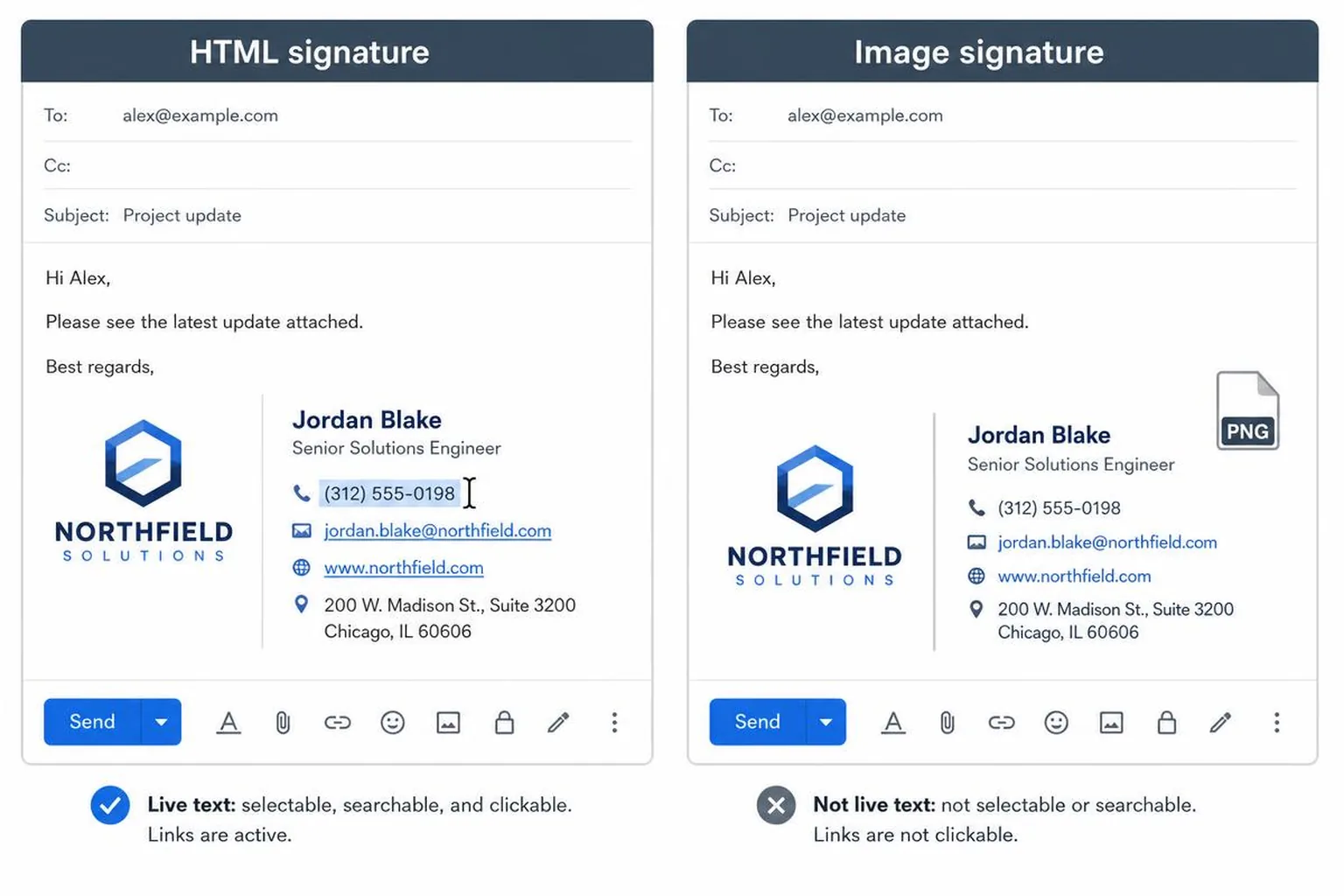
What an image signature actually is
An image signature is a screenshot. That is not a slight — it is a literal description. Every piece of information in it, your name, your title, your phone number, the URL of your website, exists only as coloured pixels. The mail client has no idea there is text in there, because there isn't.
Everything below follows from that single fact.
The five things that break
Images are blocked before they are seen
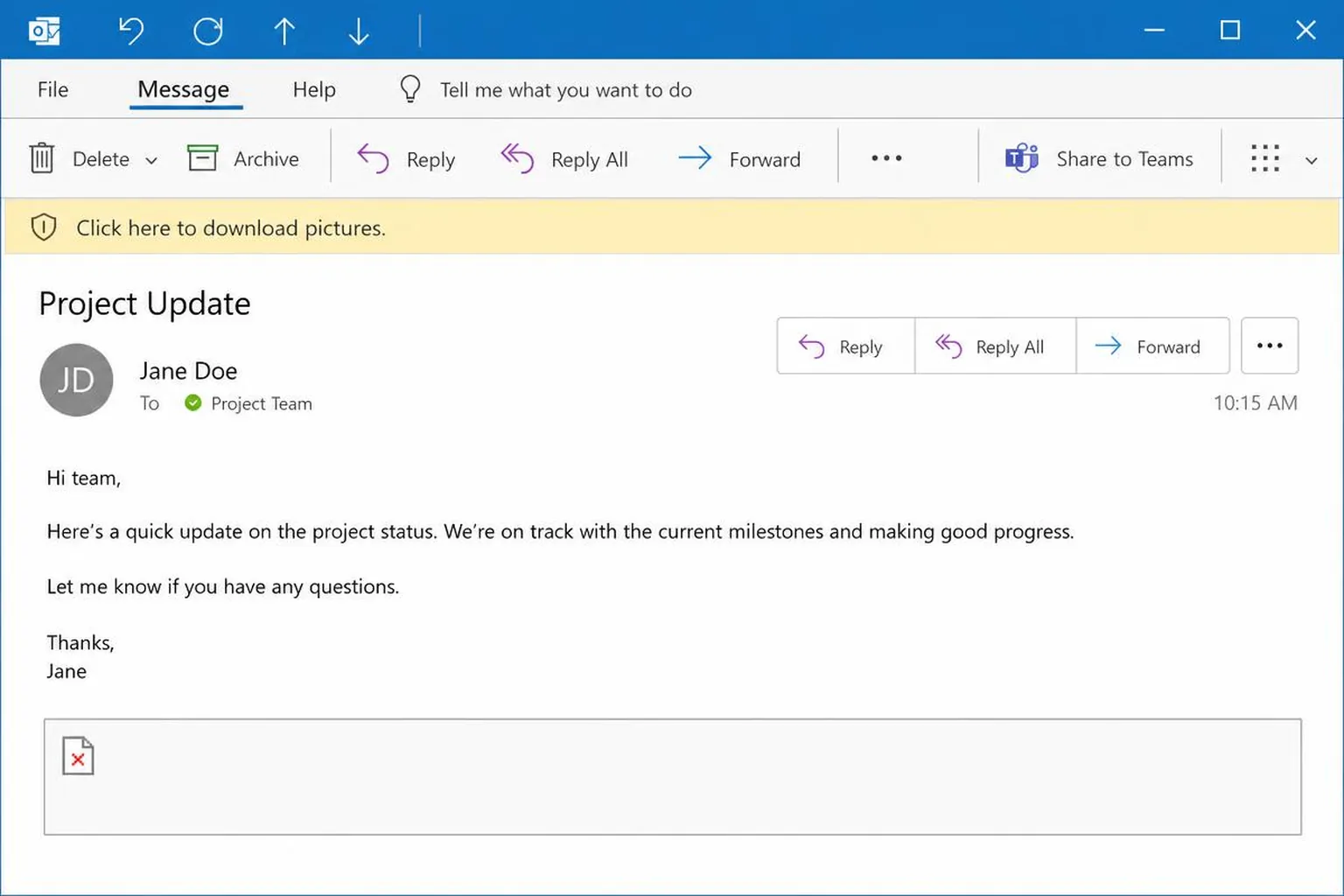
Outlook on Windows blocks external images by default and shows a bar reading "Click here to download pictures." Most corporate mail gateways strip or defer remote images for messages from outside the organisation. Gmail proxies images through its own cache, which usually works, but users can disable it and many privacy-focused clients block by default too.
When blocking is on and the whole signature is one remote image, the recipient sees an empty bordered rectangle. Not a degraded signature. An empty box, at the exact spot where your contact details are supposed to be.
Nothing inside an image is clickable
You can wrap a single hyperlink around an entire image, so the whole block points at one destination. What you cannot do is make the LinkedIn icon go to LinkedIn while the phone number dials and the booking link opens your calendar. Image maps, the old map and area technique, are unreliable across clients and break the moment the image is scaled.
So an image signature has exactly one link, or none. Every other call to action is a picture of a call to action. If you are trying to get people onto your calendar, that matters — a booking link only earns its place when it is one click away, and a picture of a booking link is zero clicks away from anything.
The text cannot be selected, copied, or searched
People copy phone numbers out of signatures. They search their inbox for "Priya" to find the address of the vendor they spoke to in March. Neither works against an image. The recipient who wants to add you to their CRM has to retype your details by hand, which mostly means they don't.
Forwarding makes it worse. When your message gets passed to a colleague who has to reach you, the useful part is a picture, and the picture may not survive the forward at all.
Screen readers read the alt attribute and nothing else
To assistive technology, an image signature is one node with one text alternative. If the alt attribute is empty, and it usually is, the signature is announced as nothing or as "image." If someone tries to be thorough and stuffs the entire signature into the alt text, the result is one unpunctuated run-on string with no structure, no headings, no links.
An HTML signature is real text with real anchor tags. A screen reader reads the name, then the role, then announces the links as links. This is the part of the comparison that is not a matter of taste.
It is blurry on high-DPI screens and wrong in dark mode
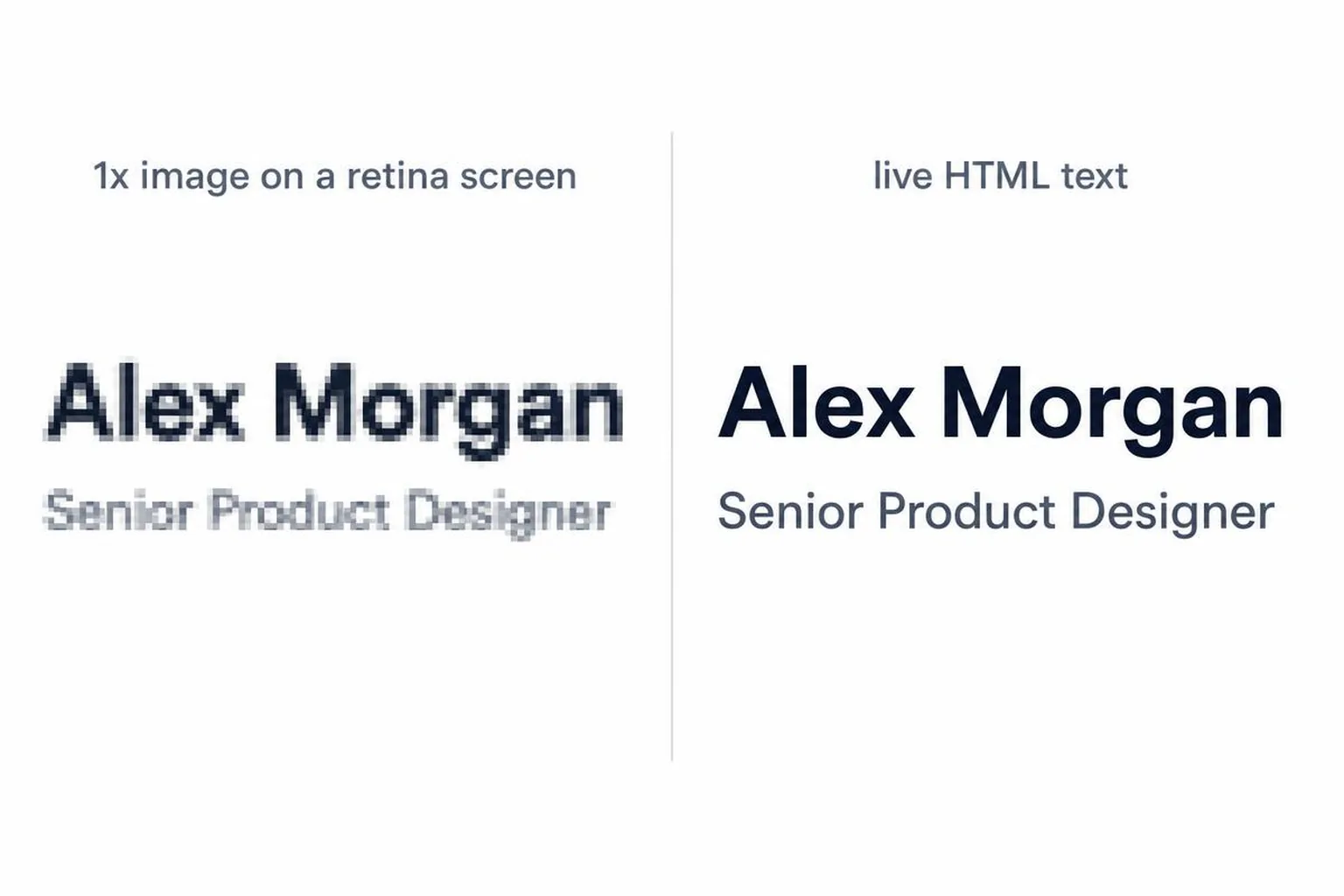
Most laptops and every modern phone render at 2x or 3x device pixel ratio. An image exported at its display size, say 500px wide and shown at 500px, gets upscaled by the display and goes soft. Text rendered as pixels cannot be re-rendered sharply; only live text can. The fix is exporting at double dimensions and constraining with width and height attributes, which doubles your file size on every email you send.
Dark mode is the other half of it. Clients that support dark mode invert or remap background and text colours in HTML, which is why live text stays readable. A flat image cannot be remapped. Your signature arrives as a bright white slab glued to the bottom of a dark message, or, if you exported on a transparent background with dark text, as invisible dark text on a dark background.
When an image is the right call
The honest answer is: often, but only for part of the signature.
Your logo
A logo is a graphic. It has no text equivalent, it does not need to be selectable, and it should be an image. Export it as a transparent PNG at 2x, set explicit width and height attributes so it renders at the intended size, keep it under about 200px wide, and give it alt text with the company name so blocked images still say who sent the message. SVG is not an option — Outlook and Gmail do not render it in email.
A headshot
Same reasoning. 80–100px square, transparent or with a background that works in both light and dark mode, with your name in the alt attribute. A headshot in an HTML table cell next to live text is a perfectly good signature and always has been.
The genuine exception
If you need pixel-exact reproduction of a complex brand lockup and you accept that it can disappear, an image can carry that lockup — as long as your name, role, and contact details exist as live text next to it. The rule is not "no images." The rule is that no piece of information may exist only inside an image.
Head to head
| Criterion | HTML signature | Image signature |
|---|---|---|
| Clickable links | Multiple independent anchor tags | One link around the whole image, or none |
| Selectable and copyable text | Yes, all of it | No, text is pixels |
| Screen reader accessibility | Reads text and announces links | Reads the alt attribute only |
| When images are blocked | Text still renders, logo shows alt text | Empty bordered box |
| File size per email | Roughly 2–10 KB of markup | Typically 20–200 KB per image |
| Dark mode | Client can remap text and background colours | Fixed pixels, no remapping |
| High-DPI sharpness | Text re-renders at native resolution | Soft unless exported at 2x |
| Editing later | Change a line of text | Re-export and re-upload the image |
| Spam filters | Text-to-image ratio stays high | Image-heavy, low text ratio raises scores |
That last row is worth a sentence. Spam scoring systems have long treated messages that are mostly image and little text as suspicious, because that is a classic way to hide text from filters. An email whose only body content is a short note plus a large image is not going to get you blocklisted on its own, but it moves you in the wrong direction on a metric you cannot see.
Building the HTML version
Nested tables, inline styles on every element, width and height as HTML attributes rather than CSS, and fonts limited to Arial, Helvetica, or Georgia. No flexbox, no grid, no external stylesheets — Outlook renders with Microsoft Word's engine and ignores them. If hand-writing table markup is not how you want to spend the afternoon, you can build the HTML signature from your website URL and paste it straight into Gmail.
Then test it the way it will actually be received: on a phone, in dark mode, and with images blocked. That last test is the one that catches the problem this whole article is about, and it is the same test that catches most of the other ways a signature quietly loses you replies.
For everything around the markup — what to include, what to cut, and how it should read by role — start with the complete professional email signature guide.
Related reading
- The complete professional signature guide — structure, contents and role-by-role recommendations
- Signature best practices — dimensions, dark mode and client testing
- Common signature mistakes — the rest of the ways a signature loses replies
- When an HTML signature renders wrong — broken images, collapsed Outlook tables, phone overflow, and the fix for each.