
How to add an email signature in Yahoo Mail (desktop, iPhone and Android)
Set up a Yahoo Mail signature in the new desktop interface or mobile app, keep the right version attached to each account, and fix the common reasons it does not appear.
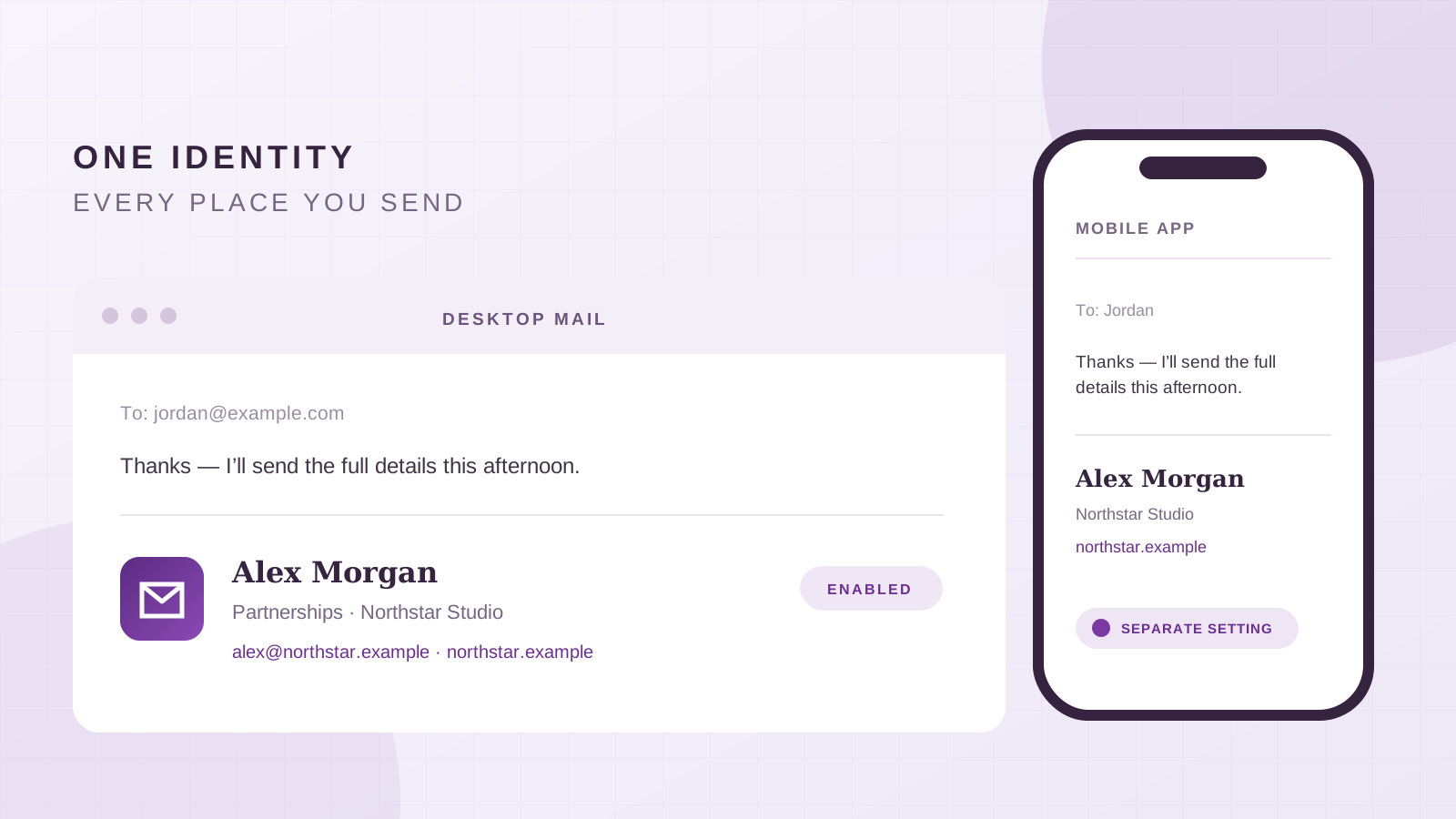
Yahoo Mail has more than one signature setting. The signature saved in a desktop browser is separate from the one in the Yahoo Mail mobile app, and the menu path differs between the new and older desktop interfaces. That is why a signature can look correct on a laptop and disappear from a message sent on a phone.
This guide shows where each setting lives, how to paste a designed signature on desktop, how to give different addresses their own versions and what to check before you trust it in real correspondence.
Choose the instructions for where you send mail
| Where you write the message | Signature setting | What to remember |
|---|---|---|
| New Yahoo Mail on desktop | More options > Settings > Writing email | Enable and edit the signature for the correct address |
| Older Yahoo Mail on desktop | Settings > More Settings > Writing email | The older interface adds a More Settings step |
| Yahoo Mail app on iPhone | Menu > Settings > Signatures | The app signature is separate from the desktop one |
| Yahoo Mail app on Android | Menu > Settings > Signatures | Use one app signature or customise each added account |
Yahoo's current New Yahoo Mail instructions and mobile app instructions document these as separate settings. Make the change in the interface you actually use to send.
Add a signature in New Yahoo Mail on desktop
- Open Yahoo Mail in a desktop browser.
- Click the More options icon, then choose Settings.
- Select Writing email.
- Find the email address that should use the signature and turn its signature toggle on.
- Enter or paste the signature in the editor below that address.
- Start a new message from the same address and confirm that the signature appears.
Yahoo says the new desktop experience can hold an individual signature for each mail username added to the account, including addresses from other providers. The address matters: editing one signature does not mean every From address will use it. See Yahoo's official signature guide for New Yahoo Mail.
There is no reason to wait for a special save button if the editor does not show one. Leave the settings panel, open a new draft and inspect the result. The real confirmation is the signature appearing under a message sent from the intended address.
If you still have the older desktop interface
The older layout uses a slightly different path:
- Click the Settings icon.
- Choose More Settings.
- Open Writing email.
- Turn the signature on for the relevant address.
- Enter or edit the signature in the text box.
Yahoo labels its older desktop instructions as belonging to the previous Yahoo Mail interface. If an article or video tells you to click More Settings and you cannot find it, you may already be using the new layout. Look for More options > Settings instead.
Paste a designed signature without showing raw HTML
Yahoo's signature setting is a visual editor. If you have a designed signature, copy the rendered result and paste that into the signature box. Do not paste HTML source such as `<table>` and `<td>` tags; without a source editor, those characters can appear as ordinary text.
To create a version from your own website in BrandSig:
- Enter the public URL of your business website.
- Check the extracted company name, logo and brand color.
- Add your name, role and preferred contact details.
- Choose a composition and click Copy.
- Return to Yahoo Mail's signature editor and paste.
Yahoo's help page documents the editor but does not describe a raw HTML import workflow. Treat what you can see inside the settings panel as the signature Yahoo will try to insert. If the paste loses a font or spacing, keep the structure simple rather than repeatedly adding styling the editor removes.
Your name, role, phone number and website should remain real text. A logo may be useful, but a single image containing the entire signature leaves the recipient with no contact details when images are blocked. The HTML versus image signature guide explains the difference.
Set a separate signature in the Yahoo Mail app on iPhone
Yahoo explicitly notes that app signatures are different from signatures saved on desktop. To create the iPhone version:
- Open the Yahoo Mail app and tap the Menu icon.
- Tap Settings.
- Under General, tap Signatures.
- Turn signatures on.
- Tap below the username you want to edit.
- Enter or change the signature, then use the back arrow to return.
Those are the steps in Yahoo's iOS and Android app signature guide. Create a shorter mobile version if the desktop design is wide or image-heavy. A name, role, company and one reliable contact route are enough for most phone replies.
Send a test from the app itself. A test sent from the desktop browser only proves that the desktop setting works.
Set a signature in the Yahoo Mail app on Android
On Android, open Menu > Settings > Signatures. Yahoo documents two choices in the current app:
- Turn on Include signature in new messages to use one signature for the accounts in the app.
- Turn on Customize for each account, choose an account and enable its signature to maintain separate versions.
Edit the field and use the back arrow to return. If you handle personal and work mail in the same app, the per-account option prevents a business signature from appearing under a personal message.
The labels may vary slightly with the app version, but the important distinction stays the same: the mobile app maintains its own signature state. Changing the desktop editor is not a reliable way to update the app.
Use different signatures for different sending addresses
One Yahoo account can contain several mail usernames or connected addresses. In New Yahoo Mail, Yahoo says each added username can have its own signature. Use that separation deliberately:
- A work address can show the company, role and business phone.
- A personal address can use a short name-only sign-off.
- A shared or project address can identify the team instead of one employee.
- A sales alias can include a relevant call to action while a support address stays neutral.
Before composing, check the From address. Then return to Writing email and confirm that the signature toggle is enabled for that same identity. On Android, use Customize for each account when you want the mobile versions to stay separate.
If you regularly switch between identities, send one test from each. A correct signature attached to the wrong account is still the wrong signature.
Why a Yahoo Mail signature is missing
The signature toggle is off. Reopen Writing email on desktop or Signatures in the app and make sure the relevant switch is enabled.
You edited the wrong address. New Yahoo Mail can keep individual signatures for added usernames. Check the address beside the editor and the From address in the draft.
It works on desktop but not in the app. The Yahoo Mail app uses a separate signature. Set it under the app's own Settings > Signatures screen.
It works on iPhone but not Android, or the reverse. Treat each installed app as its own setup. Open the signature setting and send a fresh test on that device.
The formatting changed after pasting. Email signature editors simplify markup. Use a table-based, compact layout with inline formatting, then send the message rather than judging only the settings preview. Work through the HTML signature troubleshooting checklist if columns, links or images break.
The logo is missing. Make sure the image comes from a stable public HTTPS URL and that the text still identifies you without it. A file path from your computer will not be available to the recipient.
A practical Yahoo Mail signature
Start with the smallest version that does the job:
Alex Morgan
Partnerships · Northstar Studio
alex@northstar.example · northstar.example
Add a direct phone number when calls are useful. Add one calendar or campaign link only when it helps the reader take an expected next step. Use the professional signature examples to compare ten structures before adding more.
For mobile, shorten the same identity rather than inventing a different one:
Alex Morgan · Northstar Studio
northstar.example
The two versions can look different and still be consistent. The name, organisation and destination should agree.
Test it before relying on it
Send one new message and one reply from each place you normally write: desktop browser, iPhone app and Android app. Open the messages in another account and check:
- The expected signature appears for the selected From address.
- The mobile app does not add an old or duplicate sign-off.
- Links open the intended website, profile or calendar.
- Contact details remain readable when remote images are hidden.
- The signature fits on a phone without horizontal scrolling.
- A reply does not repeat an oversized block through the whole thread.
Yahoo gives each interface its own controls. Once every sending surface has the right version and each address has been tested, the signature becomes automatic instead of another detail to fix before sending.