
How to manage Gmail signatures in Google Workspace
Standardize Gmail signatures across a Google Workspace domain with the Gmail API, domain-wide delegation and per-alias HTML, without confusing signatures with admin footers.
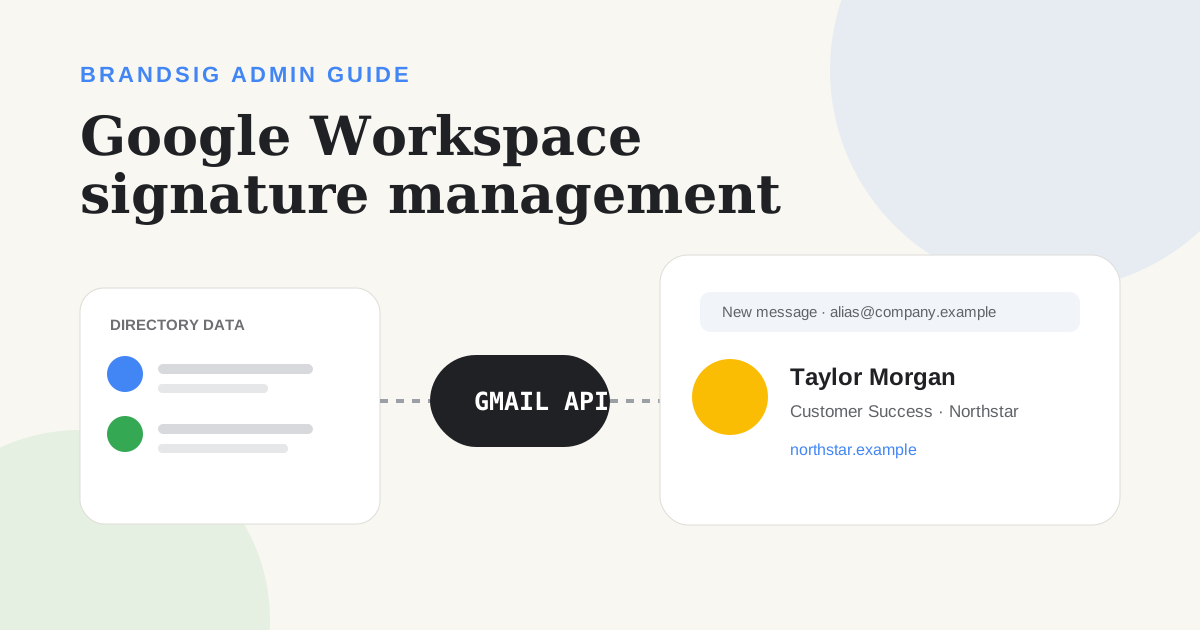
Google Workspace does not provide a simple Admin console button that replaces every user's personal Gmail signature with a designed template. For centralized deployment, the supported building block is the Gmail API's send-as settings, usually combined with a service account and domain-wide delegation.
This guide explains what the API changes, what it does not change and how to roll out a BrandSig template without overwriting the wrong alias.
The three Google Workspace signature layers
| Layer | Purpose | Where it appears |
|---|---|---|
| User Gmail signature | Personal sign-off for a send-as address | Gmail web composer |
| Gmail API sendAs signature | Programmatic update of that same personal setting | Gmail web composer, new mail |
| Admin compliance footer | Organization notice or legal text | Added separately by Workspace controls |
Do not use a compliance footer as if it were a normal personal signature. Footers are better for policy text; a user signature needs the sender's name, role and correct alias.
How the Gmail API models signatures
Gmail treats every primary address and alias as a send-as identity. The users.settings.sendAs resource includes the sending address, display name, reply-to address and an optional HTML signature.
Google's official API guide shows how to list send-as identities and patch the signature. The resource reference notes that the signature is HTML and is included in messages composed in Gmail's web UI.
The setting applies to new emails for that alias. Mobile-client behavior and reply defaults must be tested separately; they are not guaranteed by changing this one field.
Prepare the data before deployment
Build a roster with one row per user and alias. Include approved values for:
- Primary email and send-as address.
- Display name and job title.
- Department or company.
- Phone number and website.
- Logo or approved campaign link.
- Template or language variant.
Validate missing fields before rendering HTML. An empty phone value should remove the whole phone row, not leave a dangling label or separator.
Create a compatible BrandSig template
Design the source in BrandSig and render one HTML signature for each identity. Use tables, inline styles, absolute HTTPS image URLs and common fonts. Keep every important detail as text.
Gmail sanitizes signature HTML when it is saved through the API. Google's update method documentation states this explicitly. Treat sanitization as a security boundary: never depend on scripts, forms, external stylesheets or advanced CSS.
Render and compare a sample after Gmail saves it before applying the template across the domain.
Authorize administrative updates safely
An administrator typically uses a Google Cloud project, enables the Gmail API, creates a service account and grants domain-wide delegation for the required Gmail settings scope. Keep the scope narrow and protect the credentials like any other administrative secret.
The API supports updating the authenticated user's primary identity with basic settings authorization. Updating other users or non-primary addresses through a service account requires the correct delegated authority, as Google's method reference explains.
Use a dedicated deployment process with logging and a dry-run mode. Do not put a long-lived private key into a shared spreadsheet or a designer's browser.
Update the correct send-as identity
For each user:
- List the account's send-as identities.
- Match the exact sendAsEmail value.
- Read and back up the current signature.
- Render the approved HTML with that identity's data.
- Patch only the signature field.
- Read it back and record the result.
Do not assume the primary login is the only address. Sales aliases, custom From addresses and migrated identities can each have their own signature.
Plan updates without erasing user work
Choose an ownership model before deployment:
- Admin-owned: the system periodically restores the approved template.
- User-owned after launch: deploy once, then let users edit.
- Hybrid: lock the brand structure in the generator but allow approved fields to change.
Back up the previous HTML and include a rollback path. Notify users before a change, especially when the process will overwrite manually added pronouns, certifications or local legal text.
Understand client limitations
The API signature belongs to Gmail's send-as configuration and is added in the Gmail web composition experience. It is not a universal server-side stamp on every message leaving Google Workspace.
Messages sent from Apple Mail, Outlook, a CRM, an SMTP service or some mobile workflows can bypass the Gmail web signature. If every outbound system must contain a legal notice, use an appropriate compliance control in addition to personal signatures.
Avoid double signatures by documenting which layer owns branding in each sending system.
Test a pilot group
Start with users who represent the real complexity: one primary address, one alias, one executive with an assistant, one mobile-heavy user and one mailbox used by a CRM.
Test new messages, replies and sends from web, iOS, Android and connected clients. Confirm that Gmail's sanitization did not remove required styles, images load without authentication and the alias receives the correct identity.
Only expand after the pilot's saved HTML and received messages match the approved design.
Common deployment failures
The API returns success but the design changed. Gmail sanitized unsupported HTML. Simplify the template.
The primary address changed but the alias did not. Update each send-as identity explicitly.
Mobile messages have another signature. The mobile app or device may use a separate setting.
Users lose personal additions. Decide and communicate ownership, then back up before overwriting.
Messages from a CRM have no signature. The Gmail web setting is not a transport-level rule.
Images are broken. Use public HTTPS assets and confirm their actual content type.
Treat deployment as configuration, not a paste job
A maintainable Workspace signature system has validated profile data, versioned templates, minimal OAuth scope, backups, audit logs and real-client tests. The Gmail API provides the supported per-alias control; BrandSig provides the design source. The operational layer between them determines whether a company-wide rollout stays accurate after the first week.