Professional email signatures for recruiters
Create recruiter signatures that establish trust with candidates, separate agency and employer branding and make scheduling easy without adding noise.
Candidates evaluate the sender before they evaluate the opportunity. A recruiter signature helps answer three immediate questions: who is contacting me, which organization do they represent and is there a safe, simple way to respond?
That makes clarity more valuable than decoration. The signature should support the conversation without making a personal outreach message feel automated.
The core recruiter signature
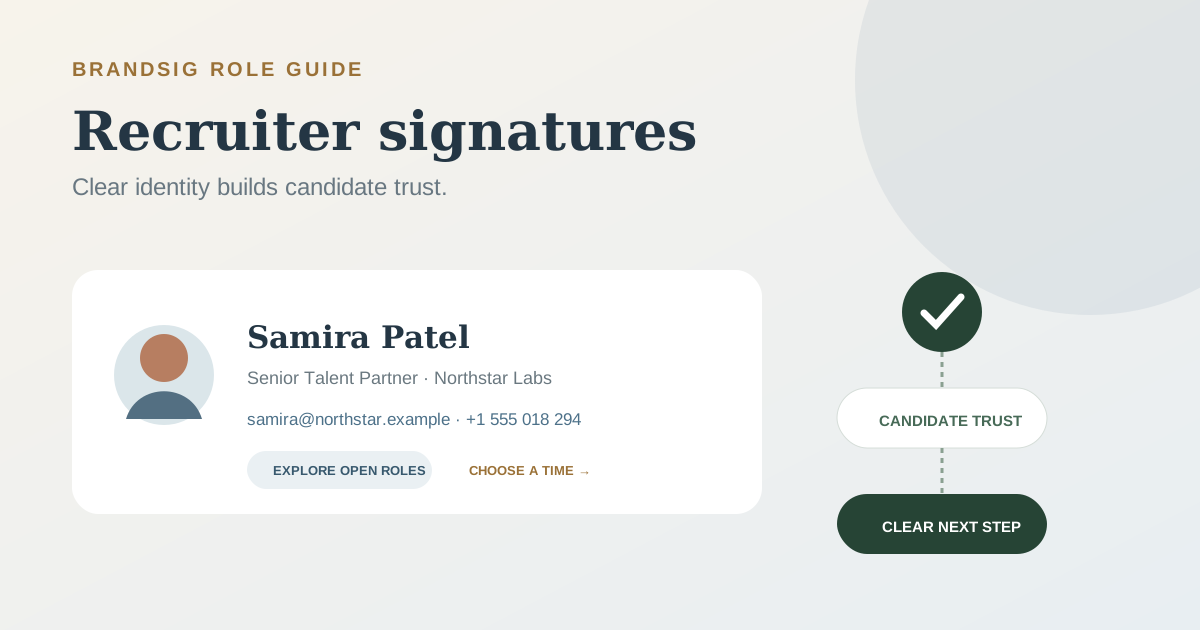
Samira Patel Senior Talent Partner · Northstar Labs samira@northstar.example · +1 555 018 294 Explore open roles · Choose an interview time
Use both links only when they match the workflow. For first-touch sourcing, the jobs page may be enough. After a candidate agrees to talk, a scheduling link becomes the useful action.
Build the base version in BrandSig, then create separate employer, agency and reply variants from the same visual system.
Make the employer relationship explicit
An internal recruiter should use the employer’s name, domain and approved branding. An agency recruiter should state the agency clearly and explain the client relationship in the email body when the client name cannot yet be shared.
Do not use a client’s logo in a way that makes an agency sender look like an employee of that company. The signature is identity, not borrowed credibility.
| Recruiter type | Identity line | Useful destination |
|---|---|---|
| Internal talent team | Role · Employer | Careers page |
| Agency recruiter | Role · Agency | Recruiter profile or agency site |
| Executive search | Partner · Search firm | Firm credentials or profile |
| Campus recruiter | Program role · Employer | Graduate opportunities |
| Contract recruiter | Clear contract role | Relevant hiring page |
Use scheduling links after interest exists
A calendar link saves time once the candidate wants to talk. In a cold message, “Book an interview” can feel premature or misleading. Use a neutral label such as Choose a time to talk, and keep the first email focused on the role and why it may be relevant.
When the candidate replies positively, include the scheduling link in the message body as well. Important workflow actions should not be hidden in a footer.
Include contact details candidates can verify
Use the organization’s email domain, a direct professional phone number when appropriate and a link to a real careers or company page. A social profile can add reassurance if it is complete and current, but a row of empty or inactive networks does the opposite.
Avoid collecting sensitive information through a generic signature link. Direct candidates to the approved application system and explain the next step in the body of the email.
Keep the design human
Recruiting software already introduces automation. A giant banner, stock photo and urgent CTA can make a thoughtful note look like a bulk campaign. Use a compact logo or headshot only when it adds recognition.
Keep the name, role, organization and contact routes as live text. If images are blocked, candidates should still be able to verify and contact the sender. Use alt text for the logo and avoid placing an entire value proposition inside an image.
Create versions for the candidate journey
One template rarely fits every stage.
- Sourcing signature: name, role, organization and careers link.
- Interview signature: adds a scheduling link and direct number.
- Offer-stage signature: removes promotional links and emphasizes direct contact.
- Reply signature: name, organization and one contact route.
The transition should feel natural. A candidate negotiating an offer does not need a banner advertising open roles, and a person receiving a first message does not need an onboarding portal.
Handle regional and team details cleanly
Global recruiting teams may need office location, language, working hours or regional privacy text. Keep these fields in controlled variants rather than allowing every recruiter to add a custom paragraph.
If a field is optional, remove its entire line when empty. Test longer translated titles and names; a design that only works with short English text is not a reusable template.
Common recruiter signature mistakes
The agency relationship is vague. State the actual sender organization clearly.
The calendar CTA appears too early. Ask for interest before asking for a booking.
The careers link goes to a generic home page. Send candidates to the relevant jobs or team page.
The signature repeats a confidentiality essay in every reply. Use only approved text and keep the personal signature compact.
A campaign banner advertises a closed role. Give temporary assets an owner and an expiry date.
The phone number is embedded in an image. Keep it as tappable text.
Test trust, not only rendering
Send test messages to personal Gmail, corporate Outlook and a phone. Check the visible From address, hover destination of every link, image behavior and mobile wrapping. Then read the message as a candidate: is the sender’s relationship to the opportunity obvious without opening three tabs?
A good recruiter signature reduces uncertainty. It identifies the person and organization, offers the right next step for the current stage and then gets out of the way of the conversation.